

Learning Loop
The learning loop is an automated system that analyses resolved conversations and proposes improvements to your knowledge base and policies. Instead of manually identifying gaps, the AI reviews completed exchanges and suggests new entries or updates — so your team only needs to review and approve.
The Learning Loop page
Section titled “The Learning Loop page”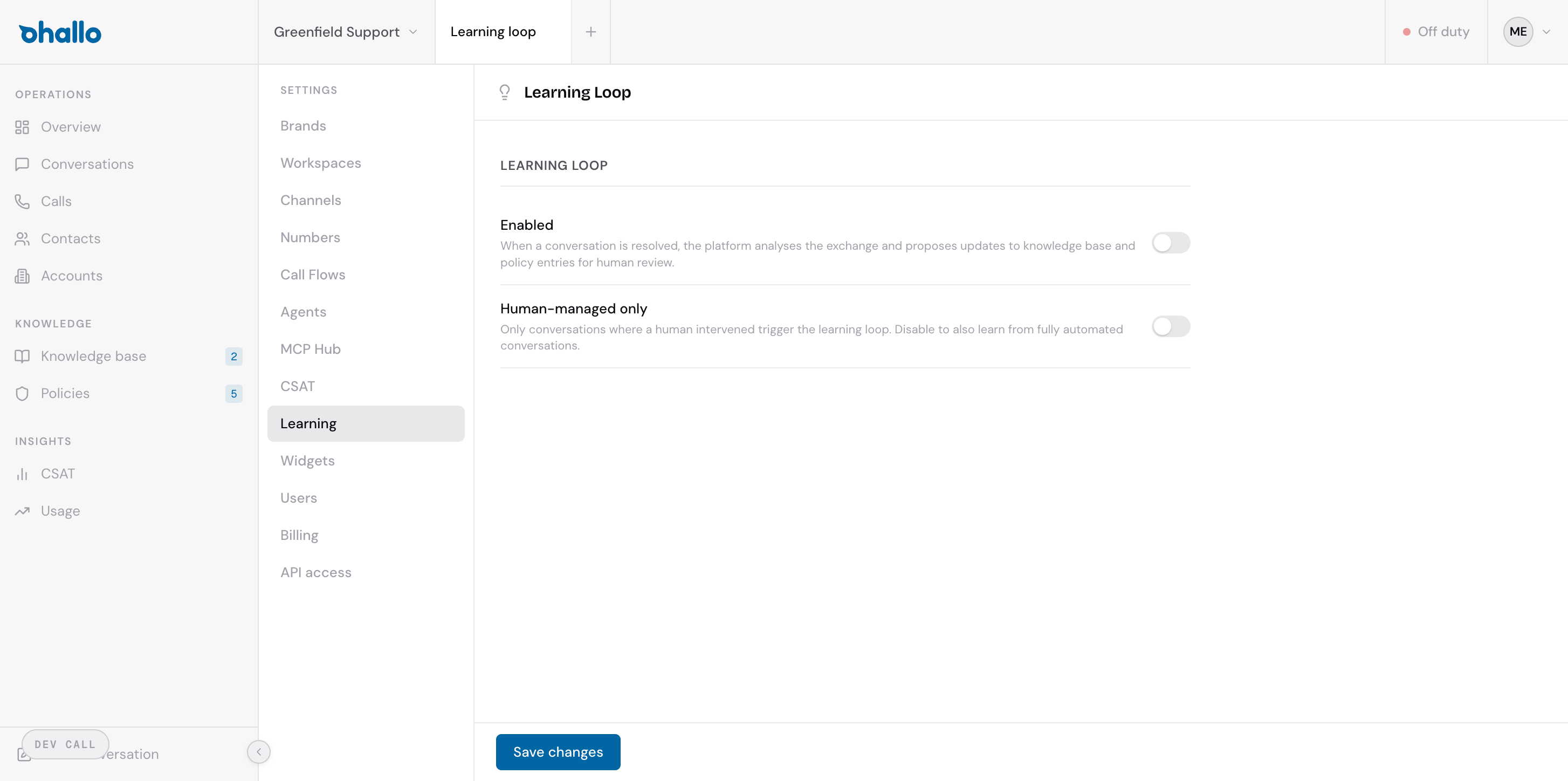
Go to Settings — Learning to configure the learning loop. There are two settings:
Enabled
Section titled “Enabled”Toggle the learning loop on or off. When enabled, the platform automatically analyses resolved conversations and proposes updates to your knowledge base articles and policy entries for human review.
When disabled, no analysis is performed and no proposals are generated.
Human-managed only
Section titled “Human-managed only”When this toggle is on, only conversations where a human agent intervened will trigger the learning loop. This is useful if you want to focus learning on the cases that were too complex for the AI to handle on its own — these are typically the most valuable sources of new knowledge.
When this toggle is off, the learning loop also analyses fully automated conversations — those the AI handled end to end without human involvement.
How the learning loop works
Section titled “How the learning loop works”The learning loop follows a five-step process:
- A conversation is resolved — either by the AI or by a human agent marking it as done.
- The AI analyses the exchange — it reviews the full conversation history, the knowledge base articles that were used, and the policies that were applied.
- Gaps are identified — the AI compares what happened in the conversation against your existing knowledge base and policy entries. It looks for missing information, outdated content, or situations that were not covered.
- Proposals are generated — if gaps are found, the AI drafts proposals. These can be new entries to add or updates to existing entries.
- Proposals are queued for review — the proposals appear in the “Pending review” tab on the Knowledge Base or Policies page, where a human can review, edit, approve, or reject each one.
Why this matters
Section titled “Why this matters”The learning loop creates a continuous improvement cycle. Every resolved conversation is an opportunity to make your AI smarter:
- New topics — when customers ask about something not covered in your knowledge base, the AI proposes a new article so it can answer similar questions in the future.
- Updated information — when existing articles are outdated or incomplete, the AI proposes updates based on the actual conversation.
- Policy refinements — when conversations reveal edge cases or new rules, the AI proposes policy entries to handle them going forward.
Over time, this reduces the number of conversations that need human intervention, because the AI has better information to work with.
Saving your changes
Section titled “Saving your changes”Click the Save changes button at the bottom of the page to apply your settings. Changes take effect for conversations resolved after the save.