

Channels
Channels are the communication paths your customers use to reach you. Each channel connects oHallo to a specific email address, chat widget, or messaging platform so that inbound messages flow into your conversation inbox automatically.
The channels page
Section titled “The channels page”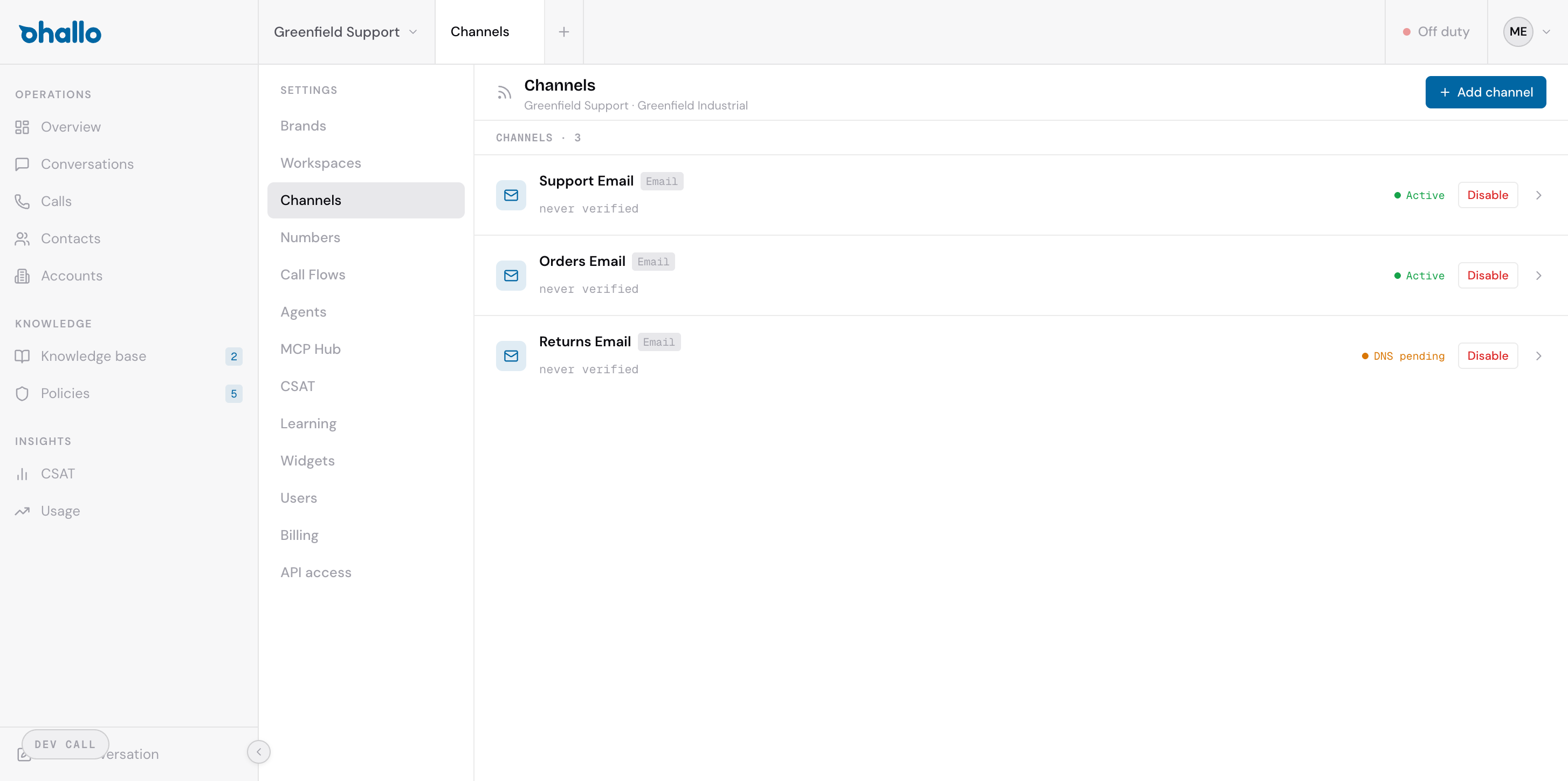
Go to Settings — Channels to see all channels in your workspace. The page header shows which workspace and brand these channels belong to. Each row displays:
- Channel name — the name you gave this channel (for example, “Support Email”, “Orders Email”)
- Type badge — the channel type, such as “Email”
- Status indicator — the current state of the channel (see below)
- Disable button — lets you temporarily disable the channel without deleting it
Channel types
Section titled “Channel types”oHallo supports the following channel types:
| Type | Description |
|---|---|
| Connects an email address so that customer emails become conversations in oHallo. Replies are sent from the same address. | |
| Chat Widget | A widget you embed on your website. Visitors can start conversations directly from your site. |
| Connect a WhatsApp Business number for messaging. Coming soon. |
Channel statuses
Section titled “Channel statuses”| Status | What it means |
|---|---|
| Active | The channel is fully operational. Messages are being received and replies are being sent. |
| DNS pending | The channel has been created but is waiting for DNS records to be configured. This applies to email channels that require MX, SPF, and DKIM records. |
| Error | Something went wrong with the channel configuration. Click into the channel to see the error details and resolve the issue. |
Adding a new channel
Section titled “Adding a new channel”- Click the + Add channel button in the top-right corner.
- Select the channel type (Email, Chat Widget, or WhatsApp).
- Configure the channel settings specific to that type.
- Save the channel.
Email channels
Section titled “Email channels”When you add an email channel, oHallo provides you with the DNS records you need to configure at your domain registrar:
- MX record — routes incoming email to oHallo
- SPF record — authorises oHallo to send email on behalf of your domain
- DKIM record — signs outbound emails to prevent spoofing
Until these records are in place, the channel status shows “DNS pending”. Once DNS propagation completes and the records are verified, the status changes to “Active”.
Chat widget channels
Section titled “Chat widget channels”Chat widget channels are configured with appearance settings such as colours, welcome message, and widget position on the page. Once created, you receive an embed code to add to your website. See Chat Widget for a detailed setup guide.
Disabling a channel
Section titled “Disabling a channel”Click the Disable button on any channel row to temporarily stop it from receiving messages. Disabling a channel does not delete it or its conversation history — you can re-enable it at any time.
Editing a channel
Section titled “Editing a channel”Click on any channel row to open its settings. You can update the channel name, configuration, and other properties. For email channels, the DNS record information is also available on the settings page for reference.