

Billing
The Billing page gives you a complete view of your subscription, current usage, projected charges, and invoice history.
The billing page
Section titled “The billing page”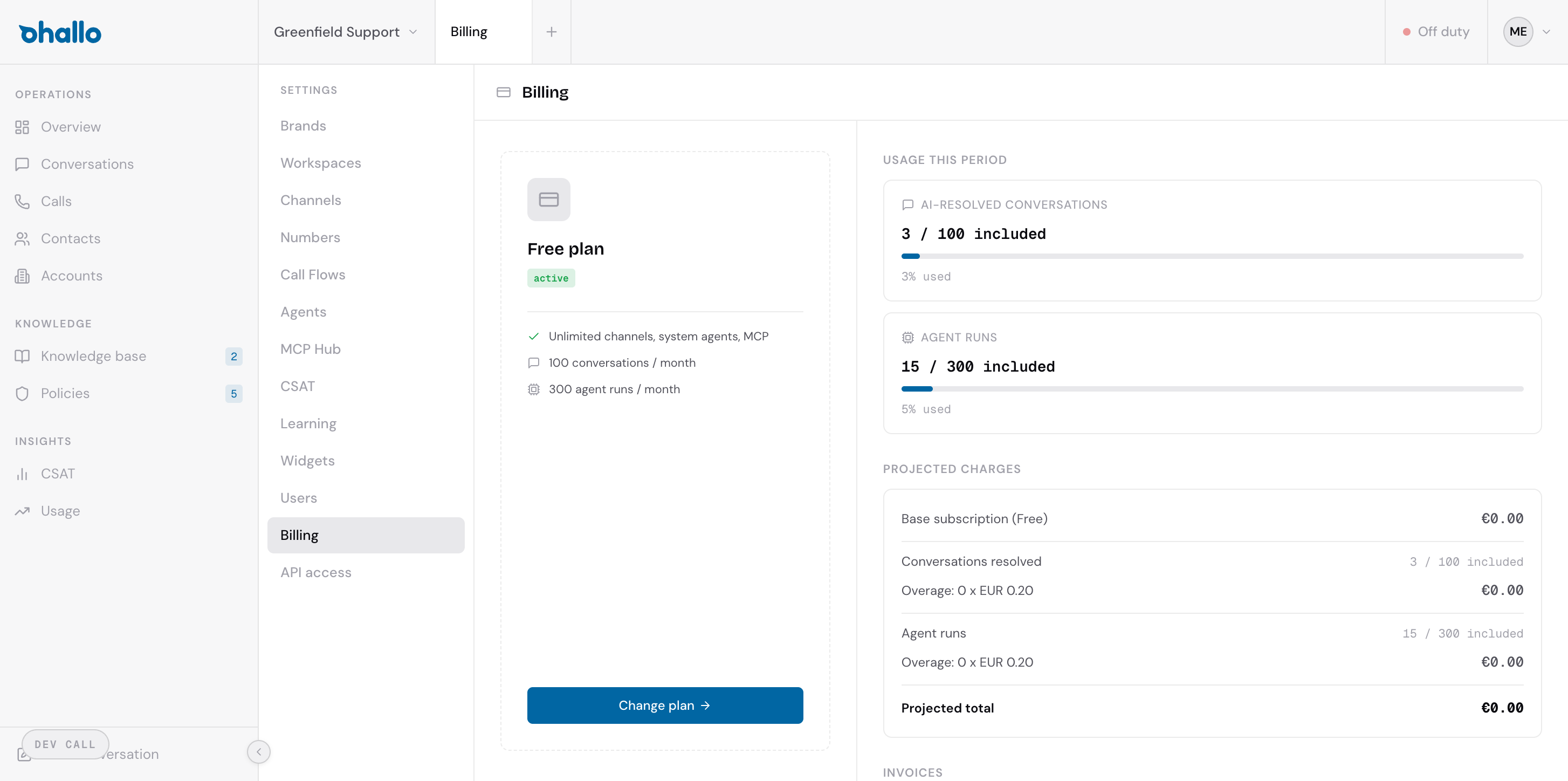
Go to Settings — Billing to open this page. The layout is split into two main sections: your current plan on the left and usage details on the right.
Your current plan
Section titled “Your current plan”The left side shows your active plan name and its included allowances:
- Channels — how many communication channels you can connect (email, chat, WhatsApp)
- Conversations per month — the number of AI-resolved conversations included in your plan
- Agent runs per month — the number of AI agent executions included
A green “Active” badge confirms your subscription is in good standing.
Usage this period
Section titled “Usage this period”The right side shows your consumption for the current billing period:
- AI-resolved conversations — a progress bar showing how many of your included conversations you have used (for example, “3 / 100 included”)
- Agent runs — a progress bar showing how many agent runs you have used (for example, “15 / 300 included”)
These meters update throughout the billing period so you can monitor your usage at any time.
Projected charges
Section titled “Projected charges”Below the usage meters, a breakdown shows what you can expect to pay at the end of the billing period:
| Line item | Description |
|---|---|
| Base subscription | The fixed monthly cost of your plan |
| Conversations included | How many are covered by your plan |
| Overage (conversations) | Any conversations beyond your included allowance, charged per unit |
| Agent runs | How many are covered by your plan |
| Overage (agent runs) | Any agent runs beyond your included allowance, charged per unit |
| Projected total | The estimated total for this billing period |
If you stay within your plan limits, the overage lines will show zero.
Changing your plan
Section titled “Changing your plan”Click the Change plan button below your current plan details to view available plans and upgrade. The plans available are:
- Free — for evaluation and small teams
- Starter — for teams getting started with AI customer care
- Growth — for growing businesses with higher volume
- Scale — for organisations with significant conversation volume
- Enterprise — custom pricing and dedicated support
Upgrading takes effect immediately. Your billing is prorated for the remainder of the current period.
Invoice history
Section titled “Invoice history”At the bottom of the page, the Invoices section lists all past invoices with their date, amount, and status. Click any invoice to view or download it as a PDF.