

Contacts
A contact is any individual who has interacted with your business through oHallo — whether by email, chat, or WhatsApp. Every person who sends a message becomes a contact automatically.
The contacts list
Section titled “The contacts list”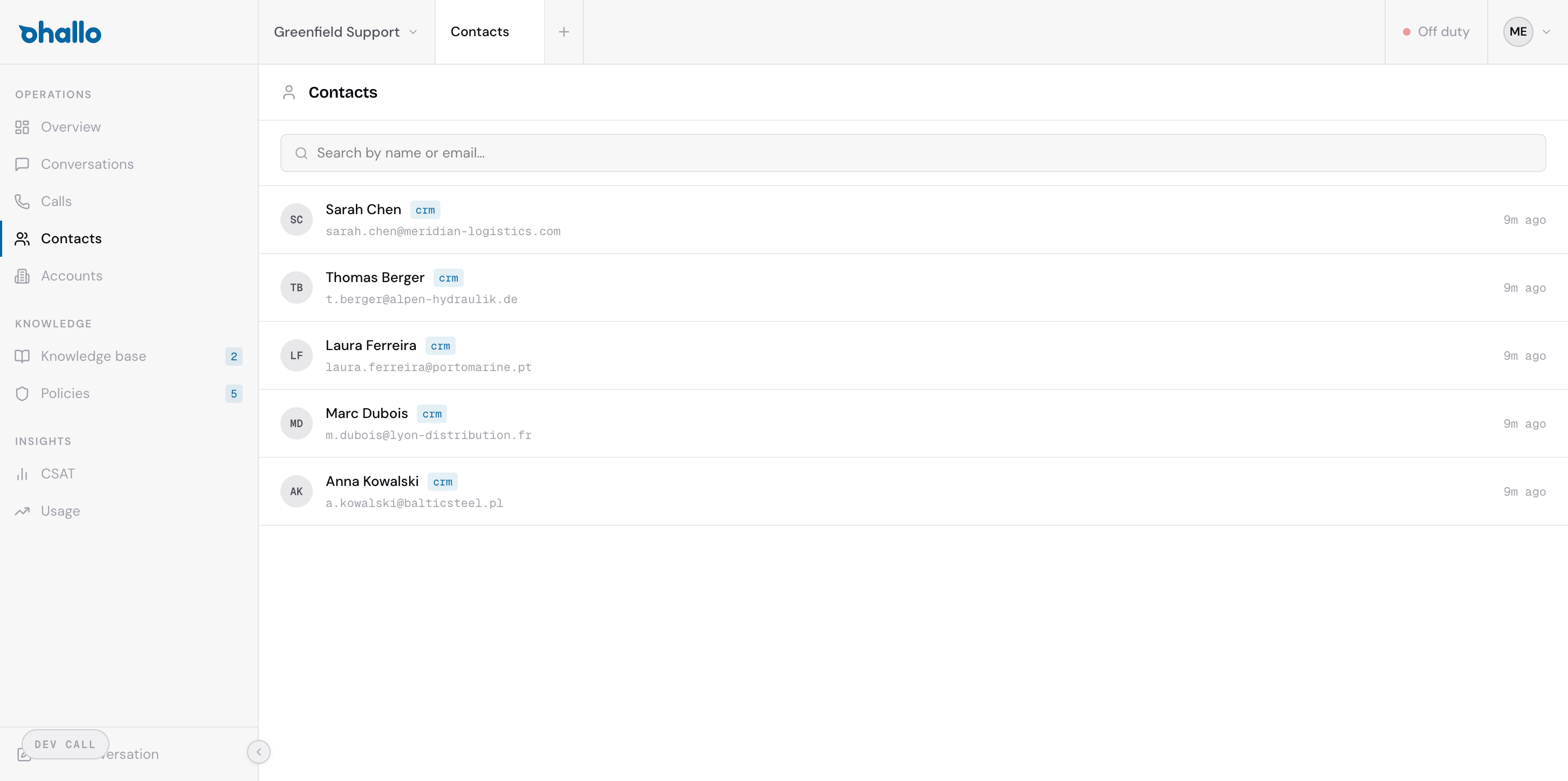
The contacts page shows all known contacts across your workspace. Each row displays:
- Name — the contact’s full name (when available)
- Email — the email address or channel identifier they used
- Company — the account (company) they belong to, if identified
- Resolution status — how oHallo matched this contact to a company (see below)
Use the search bar at the top to find contacts by name, email address, or company.
Resolution statuses
Section titled “Resolution statuses”When a new contact appears, oHallo tries to identify who they are and which company they belong to. The resolution status tells you how far that process has gone:
| Status | What it means |
|---|---|
| Unresolved | New contact with no match yet. oHallo has not been able to link them to any company or CRM record. |
| CRM resolved | Matched to an existing record in your connected CRM system. Contact details have been verified against your CRM data. |
| Registry resolved | Verified through an official business registry (e.g. VAT number lookup). This is the strongest form of company verification. |
| Domain inferred | Company was inferred from the contact’s email domain. For example, a message from jane@acme.com would associate the contact with Acme. This is automatic but less certain than CRM or registry resolution. |
Viewing a contact
Section titled “Viewing a contact”Click any contact in the list to open their full profile. The contact detail page shows:
- Contact information — name, email, phone number, and any other known details
- Company — the account they belong to, with a link to the account page
- Conversation history — every conversation this contact has had with your business, across all channels
- Resolution details — how and when the contact was matched to a company
How contacts are created
Section titled “How contacts are created”Contacts are created automatically. When a message arrives from a sender that oHallo has not seen before, a new contact record is created immediately. There is no need to manually add contacts — they appear as soon as someone reaches out.
If the sender’s email domain matches a known account, oHallo links the contact to that account automatically. Otherwise, the contact starts as unresolved until more information becomes available.