

Brands
A brand defines your company’s identity as seen by customers. Each brand has its own name, reply address, and communication tone. If you operate under different trade names or divisions, you can create multiple brands to keep each identity distinct.
The brands page
Section titled “The brands page”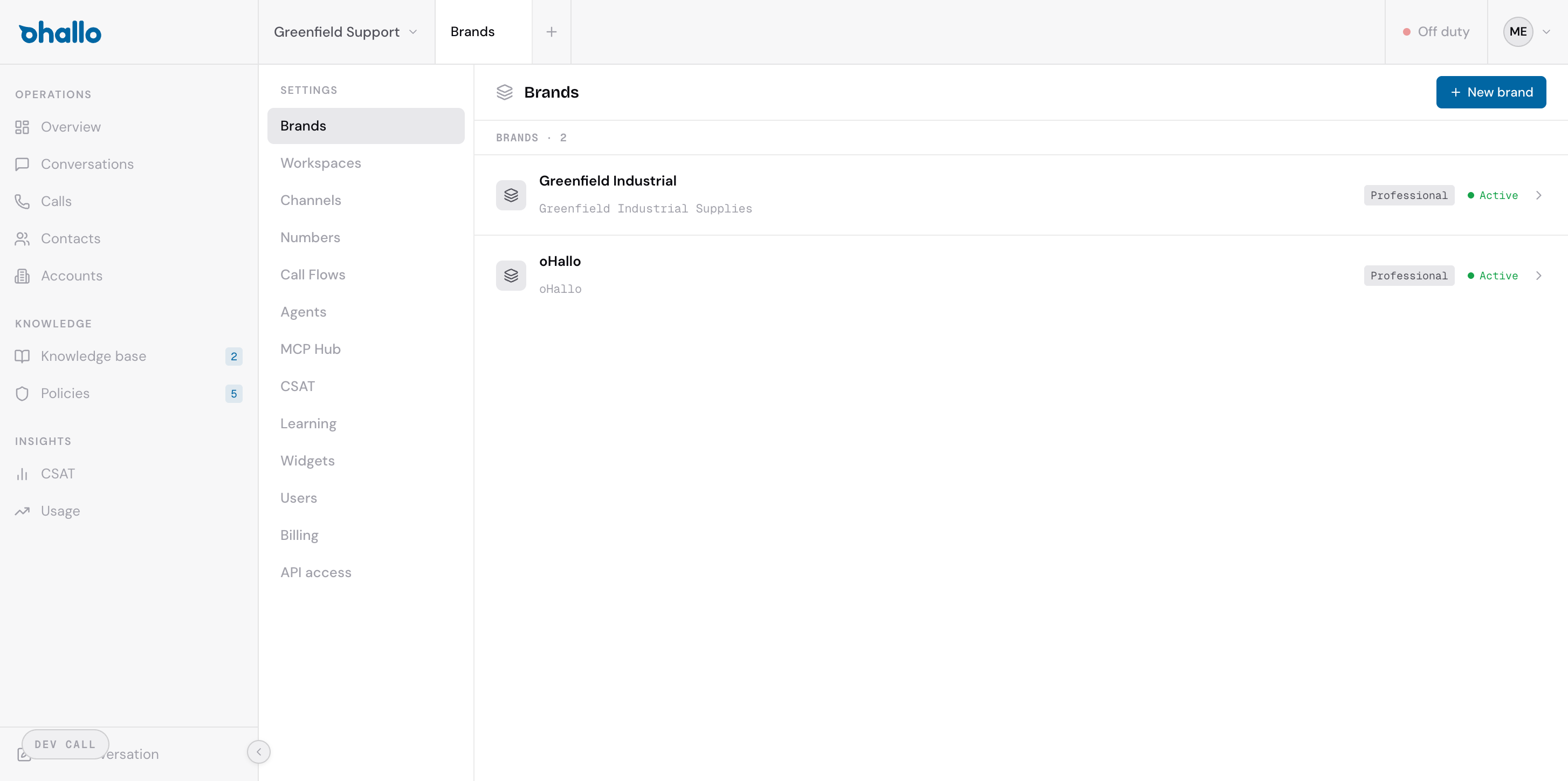
Go to Settings — Brands to see all your brands. Each row shows the brand name, a subtitle (typically the reply-from name), the tone setting (such as “Professional”), and the status (“Active” or “Inactive”). The total brand count is displayed at the top of the list.
Creating a new brand
Section titled “Creating a new brand”Click the + New brand button in the top-right corner. Fill in the brand settings described below and save.
Brand settings
Section titled “Brand settings”| Setting | Description |
|---|---|
| Name | Your company name as it appears to customers. This is the primary identifier for the brand. |
| Reply-from name | The sender name that appears on outbound emails. For example, “Greenfield Industrial Supplies” or “oHallo Support”. |
| Tone | How the AI communicates when using this brand. Choose the style that best matches your company culture. |
| Signature | Text appended to the end of every outbound email sent under this brand. Typically includes contact details or legal disclaimers. |
| Status | Set to Active to use this brand, or Inactive to temporarily disable it without deleting it. |
Tone options
Section titled “Tone options”The tone setting controls the communication style the AI uses when drafting replies under this brand:
- Professional — clear, direct, and business-like. Suitable for most B2B communication.
- Friendly — warm and approachable while remaining professional. Good for customer-facing teams that value a personal touch.
- Formal — traditional and structured language. Appropriate for industries with formal communication standards such as legal or financial services.
- Trade — industry-specific language and terminology. Best for technical or specialist audiences who expect domain-specific vocabulary.
Managing multiple brands
Section titled “Managing multiple brands”Multiple brands are useful when your organisation operates under different trade names, product lines, or regional identities. Each workspace can be linked to a specific brand, and each channel inherits its brand settings from the workspace it belongs to.
For example, a company with both a retail division and an industrial division might create two brands — one with a Friendly tone for retail customers and one with a Professional tone for industrial clients.
Editing a brand
Section titled “Editing a brand”Click on any brand in the list to open its settings. Make your changes and save. Updated tone and signature settings apply to all future outbound messages under that brand.