

Accounts
An account represents a company that your contacts belong to. While contacts are individual people, accounts group them by organisation — giving you a complete view of your relationship with each company.
The accounts list
Section titled “The accounts list”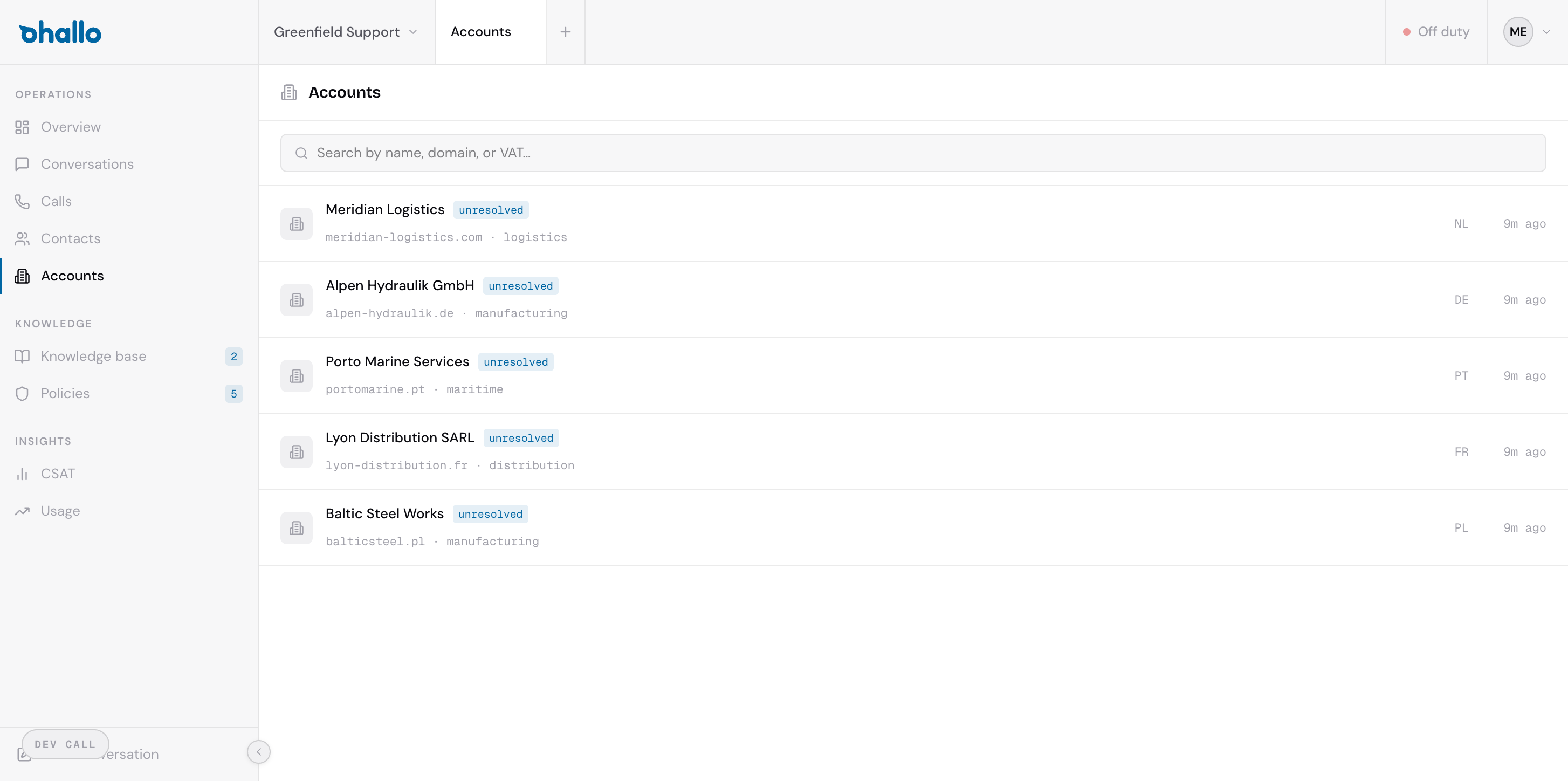
The accounts page shows all known company accounts in your workspace. Each row displays:
- Company name — the name of the organisation
- Email domain — the domain associated with the company (e.g.
acme.com) - Resolution status — how the account was verified
Use the search bar to find accounts by company name, email domain, or VAT number.
How accounts are created
Section titled “How accounts are created”Accounts are created automatically when oHallo identifies a company from a contact’s details. This happens in two main ways:
- Email domain — When a contact sends a message from a business email address (e.g.
orders@acme.com), oHallo recognises the domain and creates or links to an account for that company. Free email providers like Gmail or Outlook are excluded from this process. - VAT number — If a VAT number is detected in a conversation, oHallo validates it against official business registries and creates or updates the account with verified company details.
You do not need to create accounts manually. They appear as your contacts interact with your business.
Account enrichment
Section titled “Account enrichment”When a new account is created, oHallo automatically enriches it with additional information:
- Website lookup — oHallo visits the company’s website to gather a description and other publicly available details.
- VAT validation — For European companies, oHallo checks the VAT number against the VIES database to confirm the company is registered and active.
This enrichment happens once, shortly after the account is created. The results are stored on the account record so you always have up-to-date company information.
The account detail page
Section titled “The account detail page”Click any account in the list to open its detail page. Here you will find:
- Company information — name, domain, VAT number, address, and any details gathered during enrichment
- Linked contacts — all individual contacts associated with this company, with quick links to their profiles
- Conversation history — every conversation involving contacts from this company, giving you a full picture of the relationship
- Account health — an overview of recent interaction quality, including resolution rates and satisfaction scores for this company