

Calls Overview
oHallo supports voice calling alongside email and chat, giving you a single platform for all customer interactions. Inbound calls arrive in a shared queue, and you can make outbound calls directly from the dashboard.
The call queue
Section titled “The call queue”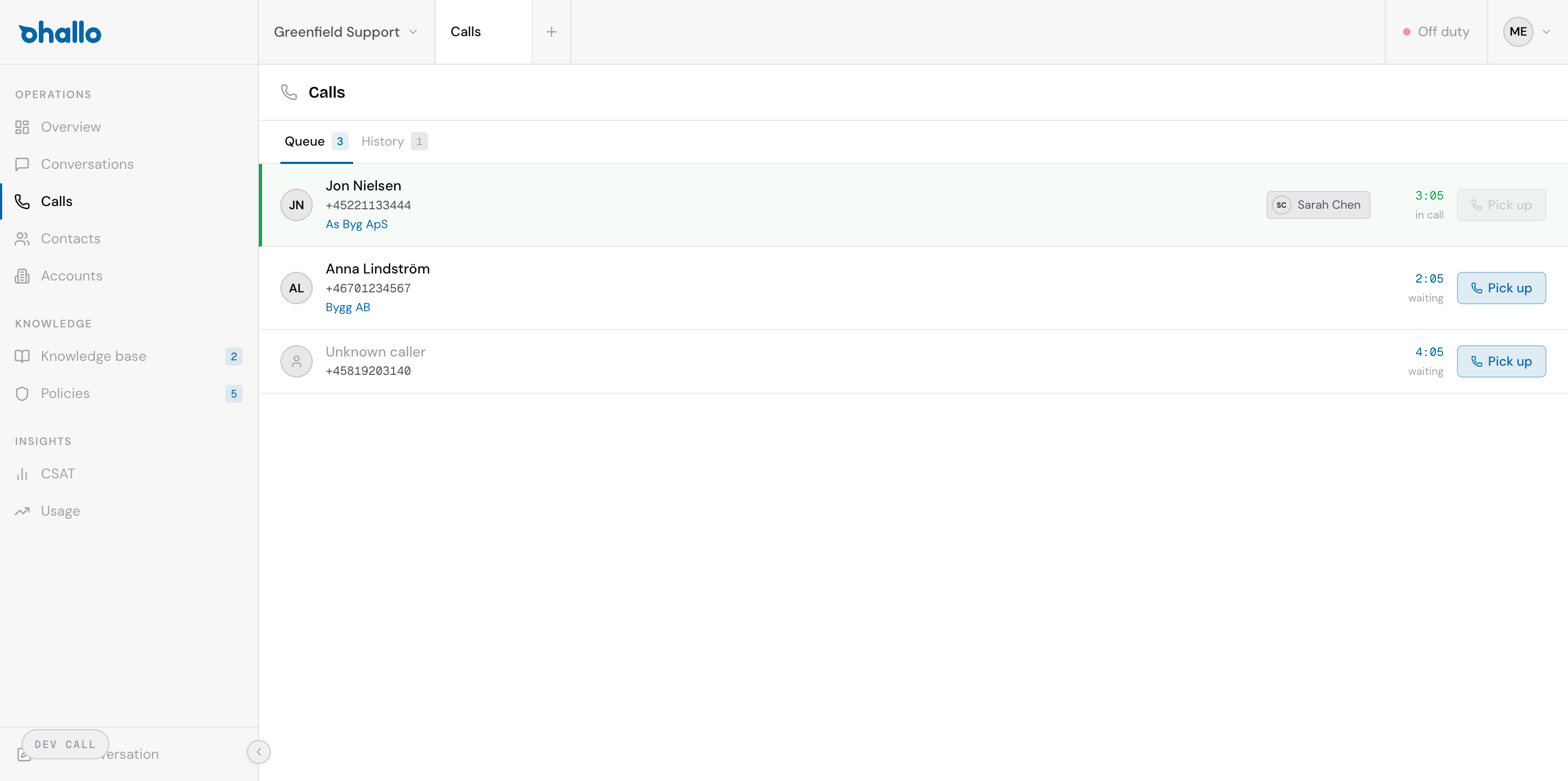
The Queue tab shows all incoming calls that are waiting to be answered. Each call in the queue displays:
- Caller name — the contact’s name, if they are a known contact in your system
- Phone number — the number the call is coming from
- Company — the account associated with the caller, if identified
- Wait time — how long the caller has been waiting
- Assigned agent — which agent the call is routed to, if applicable
Answering a call
Section titled “Answering a call”To answer a waiting call, click the Pick up button next to it. This connects you to the caller and moves the call from the queue into your active call view.
Queue vs History
Section titled “Queue vs History”The calls page has two tabs:
- Queue — shows live incoming calls that need to be answered right now
- History — shows a log of all past calls (see Managing Calls for details)
Going on and off duty
Section titled “Going on and off duty”Your duty status controls whether incoming calls are routed to you. The toggle is located in the top bar of the dashboard.
- On duty — you will receive incoming calls in your queue
- Off duty — calls will not be routed to you; they go to other available agents
Toggle your duty status before stepping away from the dashboard to make sure calls are handled by someone who is available. If no agents are on duty, callers will not be connected.